You shot 6,000 photos across a 3-day wedding. You delivered the Instagram teasers on time, cleared your freelancer payments, and uploaded full JPEG sets to a Google Drive folder.
Six months later, your studio hard drive is still holding 120 GB of RAW files, your final 30% pending balance of ₹40,000 is locked, and the bride's father calls asking: "Where is our wedding album?"
When you check WhatsApp, you find 14 voice notes, three handwritten paper lists of photo numbers, and a Google Drive folder where the couple picked 520 photos for a 30-sheet album.
Photo selection is where fast album deliveries break down. Most wedding studio owners assume Google Drive is free and simple. But when peak wedding season hits, manual selection methods waste hundreds of hours and block studio cash flow.
Studios that switch to a structured client photo selection workflow spend less time chasing selections and more time delivering albums on schedule.
Here is a practical look at how traditional storage options compare against dedicated selection software, how much manual selection actually costs your business, and how to build a smooth album delivery workflow.
Photo Selection Methods Compared
Studio Workflow Metric | Traditional Manual Methods (Drive / WhatsApp) | Dedicated Selection Software |
|---|---|---|
| Client Mobile UX | Confusing (Scrolling huge lists or sending WhatsApp screenshots) | 1-tap mobile proofing gallery with ceremony folders |
| Selection Limit Controls | None (Clients overselect photos beyond sheet budget) | Built-in photo count limits & warnings |
| Studio Manual Effort | High (Visual matching & cross-checking handwritten lists) | Low (Automatic RAW file matching & organization) |
| Family Collaboration | Chaotic (Multiple conflicting lists sent across WhatsApp groups) | Organized (Relatives view/download; primary couple finalizes) |
| Submission Notifications | None (Studio must manually call/text to check progress) | Automated alerts when clients submit final selections |
| Album Delivery Speed | Delayed by 2 to 6 months under decision fatigue | Delivered weeks faster with zero follow-up friction |
Why Indian Wedding Studios Face Unique Selection Challenges
If you run a wedding studio in India, your photo selection process is very different from a standard portrait session in western markets:
- Multi-Event Shoots: A typical wedding combines Haldi, Mehendi, Sangeet, Muhurtham, and Reception. A 4-person crew (candid photographer, traditional shooter, drone operator, and videographer) captures anywhere from 3,000 to 10,000 images.
- Joint Family Decision-Makers: Selection is rarely done by the bride and groom alone. Parents, in-laws, and relatives all want their favorite ceremony shots included in the printed photobook.
- Strict Album Sheet Limits: Album printing labs print standard 30 to 40 sheet wedding photobooks. This requires an exact target of 220 to 260 photos. Dumping un-culled folders into Google Drive lets clients pick 450 photos, forcing painful re-selection rounds.
- Locked Cash Flow: Studio contracts usually lock the final 20% to 30% payment until physical album delivery. Delayed photo selections directly lock thousands of rupees in unpaid client balances.
Real Studio Example: One Coimbatore wedding studio handling 12 weddings during Aavani and Maasi peak seasons spent nearly three months collecting selections from Google Drive folders shared across multiple family WhatsApp groups.
What Happens During Peak Wedding Season (Aavani to Maasi Rush)
During peak wedding season, a busy studio handles 10 to 15 weddings a month. Selections often move across multiple family WhatsApp groups, creating conflicting lists and delaying album design for months while hard drives fill up with unarchived RAW files.
Without a structured client photo selection workflow, studio operations grind to a halt under uncollected selections.
Why Clients Struggle to Select Photos from Google Drive
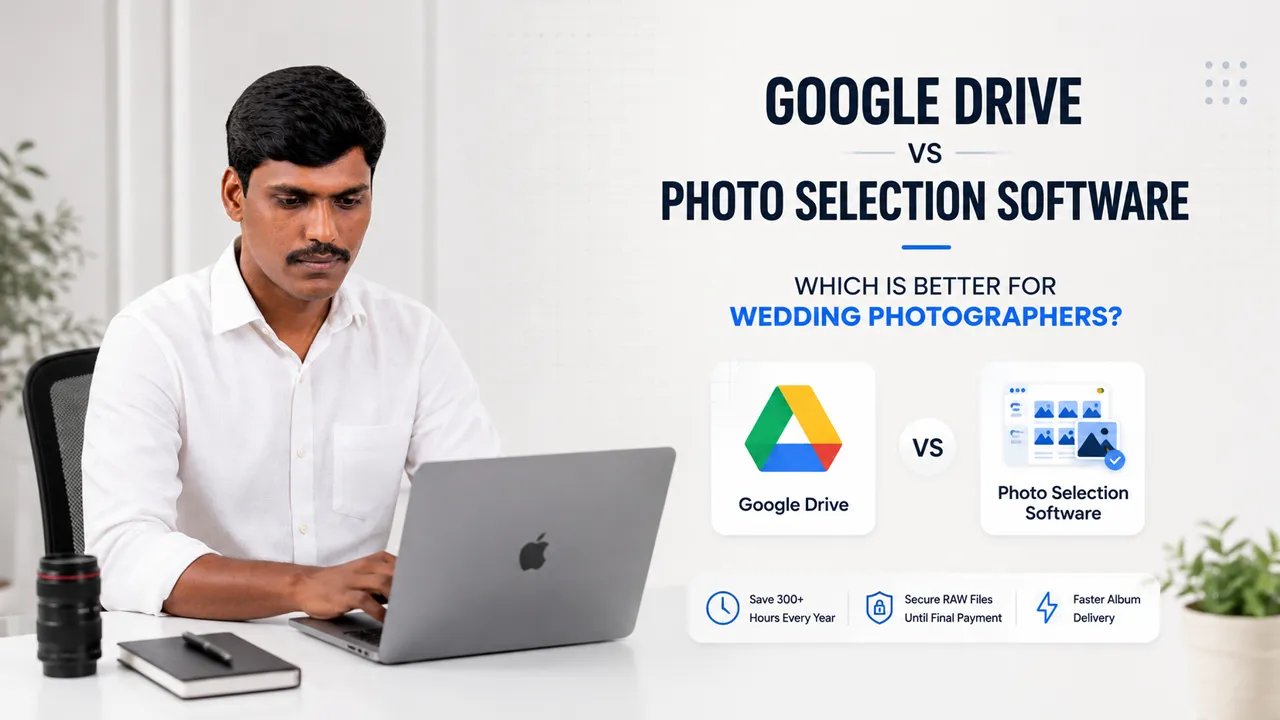
Google Drive was built as a file sharing tool, not a wedding album selection tool. Dedicated photo selection software is built specifically as a decision-making tool.
When you send a Google Drive link containing 3,000 to 5,000 wedding photos, non-technical clients experience daily friction:
- Download Behavior vs. Selection Behavior: Google Drive has no built-in workflow for approving, hearting, or locking selections. Clients end up downloading heavy files onto mobile memory, taking screenshots, or writing down file names manually.
- Incomplete ZIP Downloads: When clients attempt to download heavy original photo sets on desktop, Google Drive automatically splits folders into multiple ZIP archives (drive-download-part1.zip, part2.zip). On home Wi-Fi connections, these downloads frequently time out midway—resulting in missing ceremony files.
- Mobile Thumbnail Lag: Scrolling through thousands of high-res JPEGs on smartphones in poor network areas takes seconds to generate preview thumbnails, frustrating clients.
- Complex Folder Navigation: Older family members and parents struggle with nested folder hierarchies (Pre-wedding, Haldi, Muhurtham) and cannot compare ceremony shots side-by-side.
- Account Login Barriers: Mobile browsers often force clients to install the Google Drive app or sign in to a Google account before viewing photos.
Real Studio Relatable Moment: The bride's father opens the Drive link on his phone. When thumbnails fail to load quickly over mobile data, he gets frustrated and tells the studio: "Just take screenshots and send them on WhatsApp."
How Much Time Does Google Drive Cost Your Studio?
Google Drive feels cost-free because 15 GB is included. But manual selection wastes hundreds of hours of paid studio labor:
Step in Manual Selection Workflow | Time Wasted Per Wedding | Annual Time Lost (50 Weddings) | Annual Time Lost (100 Weddings) |
|---|---|---|---|
| Uploading heavy file sets to Drive folders | 30 Minutes | 25 Hours | 50 Hours |
| Explaining the manual selection process to clients | 20 Minutes | 16.5 Hours | 33 Hours |
| Sending follow-up calls & WhatsApp text reminders | 45 Minutes | 37.5 Hours | 75 Hours |
| Cross-checking handwritten lists or misread filenames | 60 Minutes | 50 Hours | 100 Hours |
| Handling mid-design photo swap requests | 45 Minutes | 37.5 Hours | 75 Hours |
| Total Wasted Studio Labor | 3.5 Hours / Wedding | 166.5 Hours / Year | 333 Hours / Year |
Studio ROI Takeaway: A studio shooting 100 weddings a year loses 333 hours—more than 41 full working days—just managing spreadsheets, misread file numbers, and WhatsApp reminders.
When Google Drive Is Enough vs When You Need Software
Google Drive is not inherently bad. It depends on your current studio scale and delivery requirements:
Studio Scenario | Google Drive Is Enough | Selection Software Needed |
|---|---|---|
| Monthly Shoot Volume | 1 shoot per month | 2+ shoots per month |
| Deliverable Type | Small digital file dumps (20–30 JPEGs) | Printed wedding albums & photobooks |
| Family Decision-Makers | Single client viewing files | Couple, parents & family selecting |
| Album Sheet Constraints | No selection caps needed | Strict photo selection limits |
| Designer RAW Workflow | Manual file cross-checking | 5-second Smart Match to RAW |
The Complete Studio Photo Selection Workflow
Shoot Completed ➔ Cull RAW Set ➔ Upload to Gallery ➔ Client Favorites & Locks List ➔ Auto-Match RAW Files ➔ Album Design ➔ Print & Deliver ➔ Collect Final Balance
A modern album delivery workflow replaces manual work with structured digital proofing:
1. Upload Light, Watermarked Proofing Sets
Instead of uploading 40 GB of original files, upload lightweight web proofs organized into clear ceremony folders (Pre-Wedding, Haldi, Muhurtham, Reception). Web proofs load instantly on 4G mobile connections without eating client mobile data.
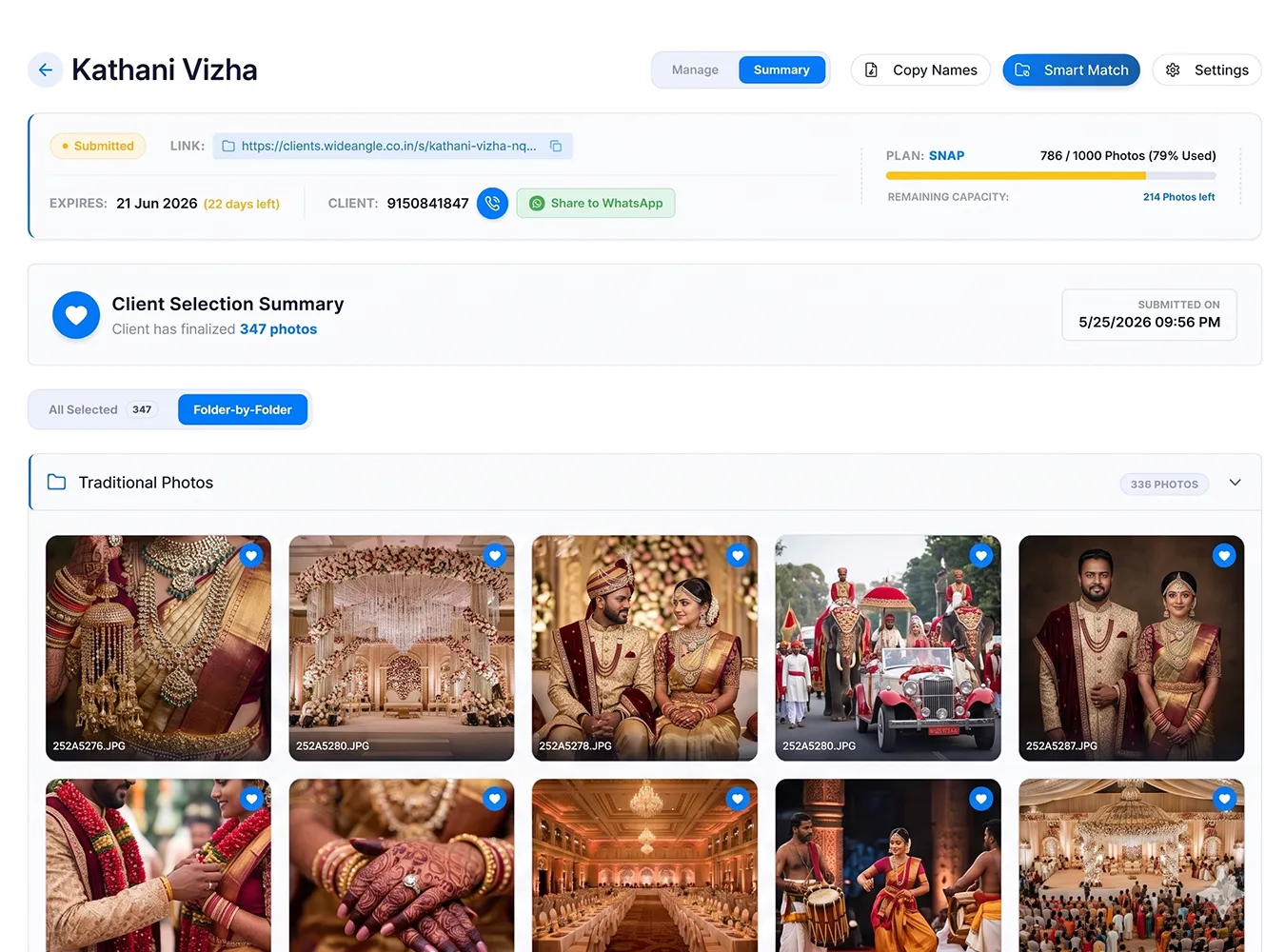
Thalam 360 Client Photo Selection Dashboard
2. Set Selection Quotas and Access Rights
Set a clear photo limit before sharing the gallery (e.g., target 240 photos, maximum 260 photos). Relatives can view and download family memories, while the primary couple holds the master PIN to heart favorite photos and lock the final album list.
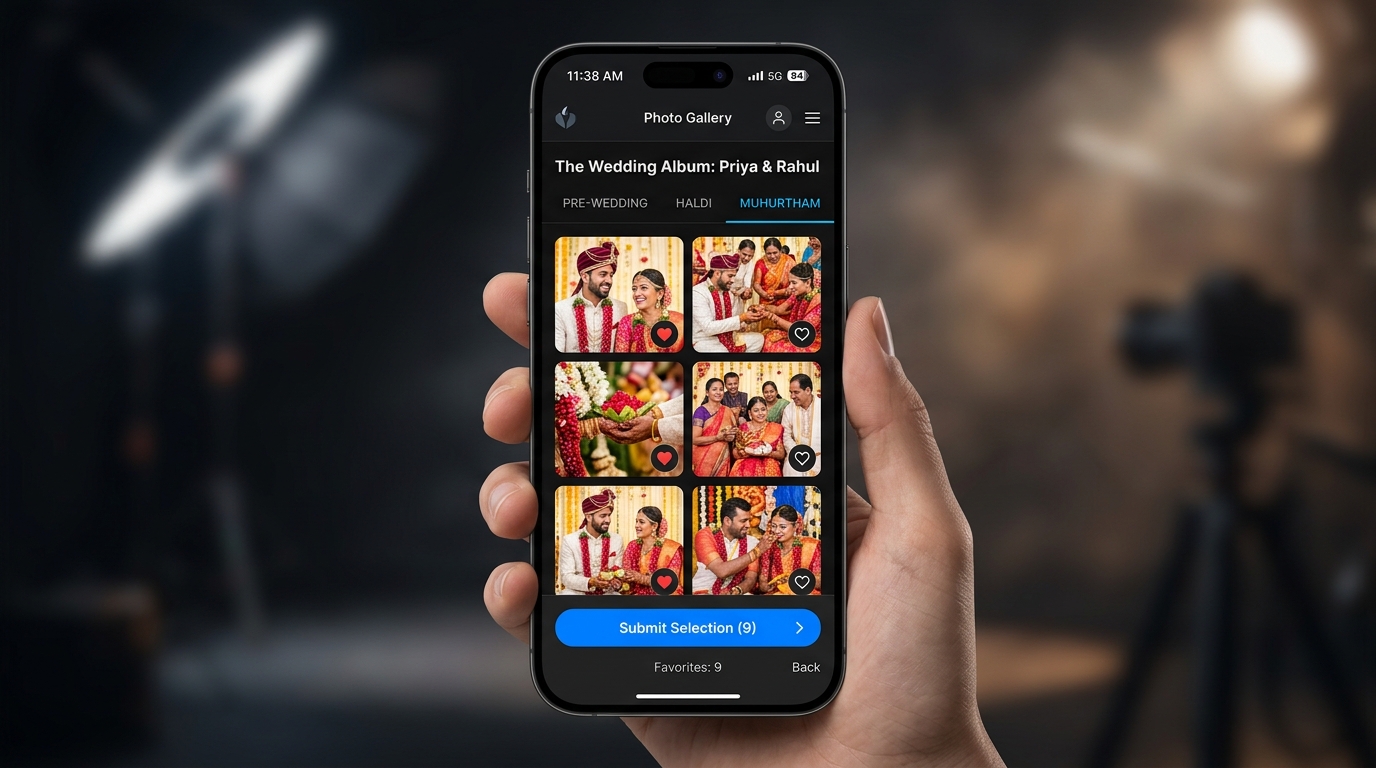
Mobile friendly client selection gallery for wedding photographers
3. Automatic RAW File Matching
Once the couple submits their selection, the gallery locks automatically. Dedicated software compares the approved selection list against your local hard drive folder and copies the matching high-res RAW files into an editing folder in seconds.
This eliminates visual searching, wrong file placements, and hours of manual editor labor.
4. Instant Activity & WhatsApp Notifications
Instead of making weekly manual follow-up calls asking clients if they are done, dedicated selection software sends instant WhatsApp and Email alerts to your studio phone the moment the couple locks and submits their final selection list.
Faster Album Delivery & Studio Cash Flow
When photo selection is locked quickly, your overall studio turnaround changes completely:
- 1Guest & Relative Access: Allow family members to view all ceremony photos and download their personal favorite portraits without interfering with the master album list.
- 2Master Couple Submission: The couple locks the exact photo quota for the wedding album, triggering instant RAW file matching for your album designer.
- 3Faster Payment Collection: Delivering physical albums weeks faster turns satisfied clients into active referrals and allows you to collect final pending balances while wedding excitement is fresh.
If you want to streamline your studio operations, combining your selection gallery with a complete photography business management software ensures your quotes, advance tracking, GST invoices, and album proofing stay in one organized system.
Frequently Asked Questions
Building a Smooth Studio Workflow
Whether your studio handles 5 weddings a year or 50, having a structured client selection process makes every stage of album delivery easier to manage.
If you are currently managing client selections through Google Drive folders, spreadsheets, and WhatsApp voice notes, testing a dedicated photo selection workflow can save dozens of hours per project.
To explore how organized selection galleries fit into your studio operations, visit the Photo Selection Feature Page or review our guide on creating professional photography quotations.