Every wedding photographer in India knows this exact moment.
You just wrapped up a 12-hour wedding shoot. You are exhausted, traveling back with heavy camera bags, and your phone buzzes with a new WhatsApp message from an Instagram lead:
"Hi! Loved your wedding photos. Can you please share your package details and pricing for a 2-day wedding in November?"
In a perfect world, you would reply in two minutes. But in reality, you get stuck in the quotation trap:
- 1The Mobile Canva Nightmare: You are away from your studio PC. Trying to pinch-zoom and edit package text on Canva from a phone screen is nearly impossible.
- 2The Calculator Switch: You open the calculator app to add travel charges and GST, switch back to Canva, Canva reloads, and your unsaved draft is gone.
- 3The 10 PM Lost Client: You reply "Hi, I am traveling. I will send the quote tonight." By 10 PM, the couple has already finalized another studio that sent a clear, beautiful proposal with photos in 5 minutes.
In modern wedding photography, speed closes deals.
Couples inquire with 3 to 4 studios on the same day. The studio that replies first with a transparent, luxury proposal almost always wins the booking.
Using dedicated photography quotation software, you can build and send a customized, interactive estimate on WhatsApp in under 30 seconds—right from your smartphone.
What Must Be Included in a Winning Photography Quotation Format?
Clients don't just look at the total price. They judge how professional and reliable your studio is by how clearly your quote is presented.
If your quote is a vague WhatsApp text like "Wedding + Reception = ₹85,000", clients will negotiate aggressively. But when deliverables are structured clearly, the value speaks for itself.
A winning photography quotation format must include these 6 core elements:
Quotation Section | What to Include | Why It Matters |
|---|---|---|
| 1. Exact Event Dates & Venues | Muhurtham, Reception, Pre-Wedding dates with reporting times | Prevents date clashes and schedule confusion |
| 2. Crew Composition | Exact number of Candid Shooters, Traditional Stills, Video & Drone pilots | Explains why your package is worth the price |
| 3. Physical Deliverables | 12x36 Album sheets, teaser duration, full wedding film, RAW hard drive | Stops scope creep and client disputes after the wedding |
| 4. Payment Milestone Schedule | 30% Booking Advance, 50% on Event Morning, 20% on Album Approval | Protects your cash flow and ensures crew wages are covered |
| 5. Embedded Visual Portfolio | 12 to 24 high-res signature shots and cinematic highlight reel | Couples see your photo quality right next to the package cost |
| 6. 7-Day Muhurtham Validity | Expiry date and advance lock policy | Creates urgency so clients don't sit on quotes for weeks |
How to Create a Photography Quotation in 30 Seconds (Mobile Workflow)
Here is how organized studios create customized proposals in 4 simple taps using Thalam 360 Quotation Maker:
Step 1: Select Your Lead (10 Seconds)
Pick the inquiry from your lead manager. The client's name, phone number, and Muhurtham dates auto-populate instantly without re-typing.
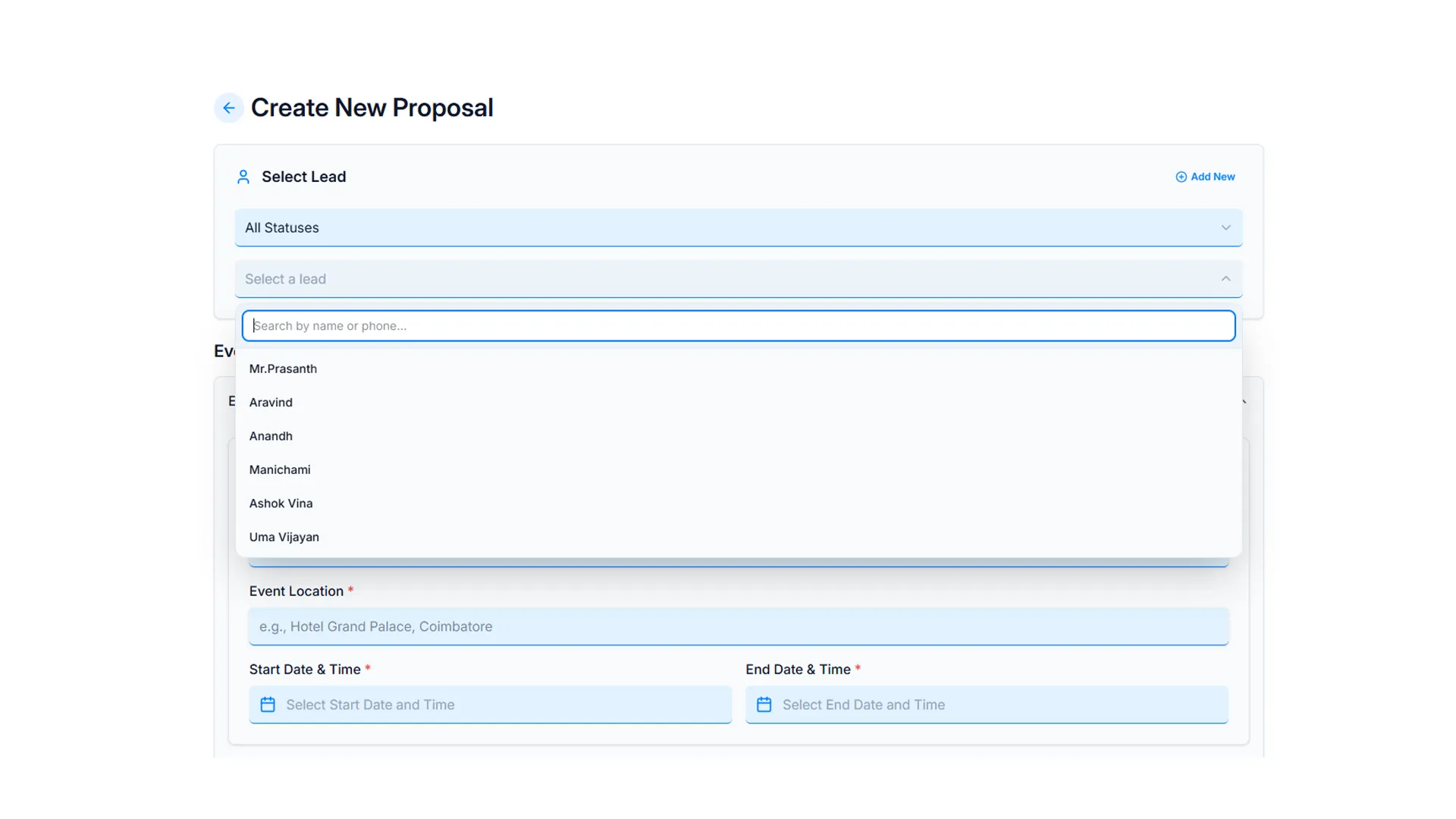
Selecting Lead and Event Details
Step 2: Choose Pre-Saved Package Bundles (5 Seconds)
Never type deliverables from scratch. Select from your saved packages (e.g., “Royal Wedding: 2 Candid + 2 Traditional + Drone + 40-Sheet Album”). Deliverables and crew strength load in one tap.
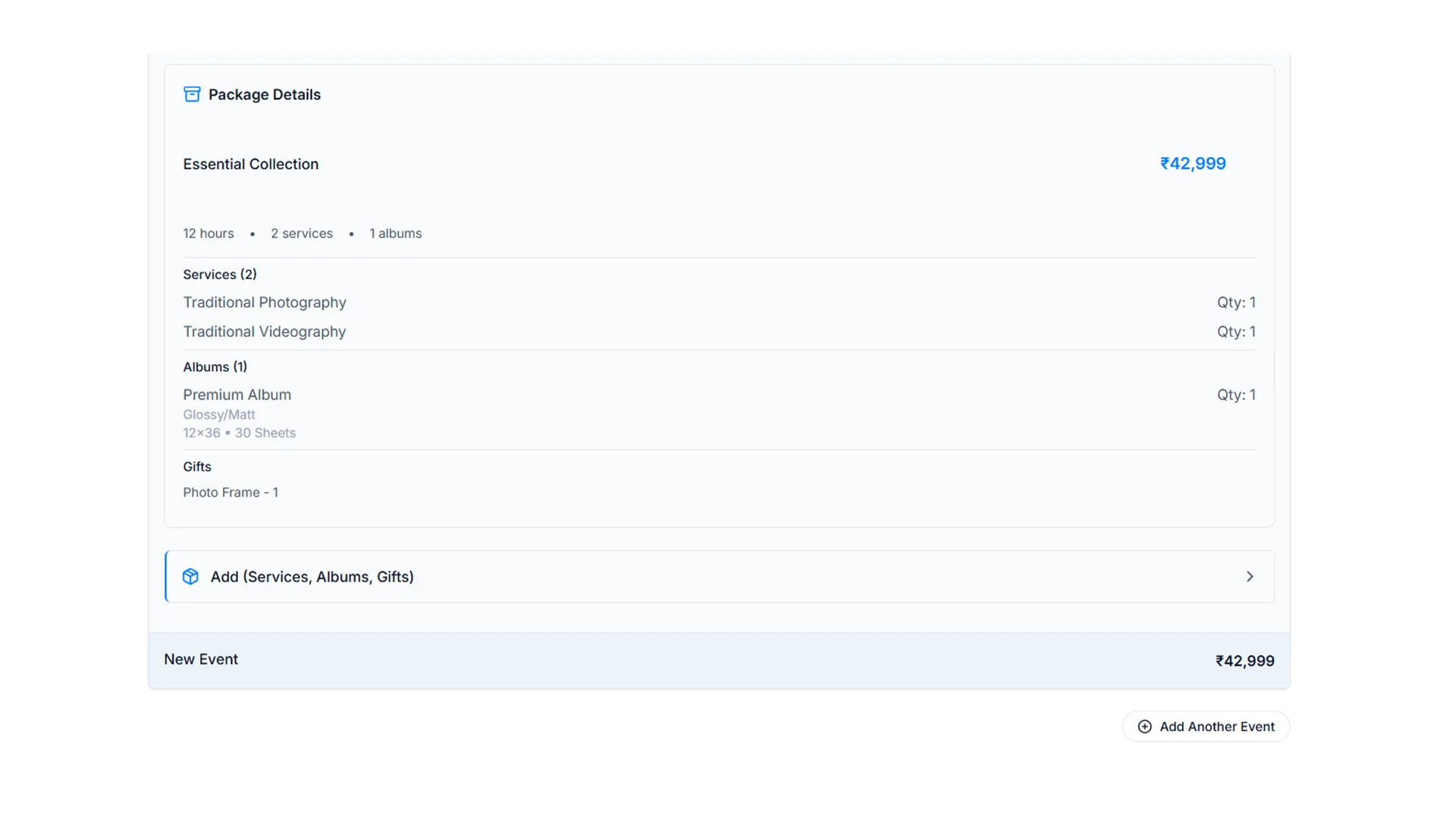
Adding Packages and Services
Step 3: Instant Discounts & Automated Math (5 Seconds)
Need to apply a 5% seasonal discount, add outstation travel charges, or include GST? The system calculates totals automatically. No calculator mistakes or awkward manual corrections.
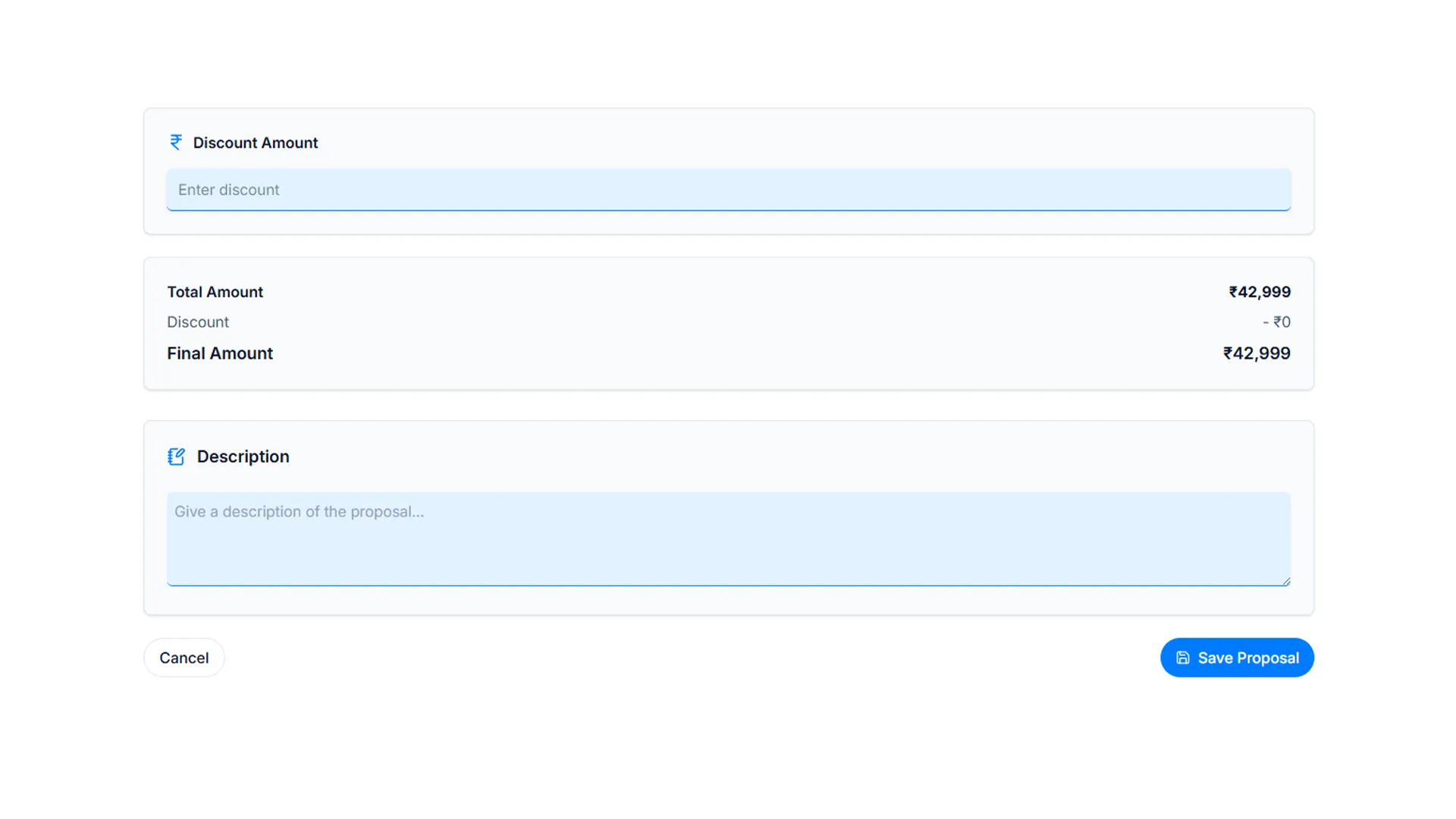
Automated Math and Discounts
Step 4: 1-Click WhatsApp Share (10 Seconds)
Generate a private, luxury web link and share it directly on WhatsApp. Your client opens an interactive, mobile-friendly proposal with your branding—no heavy PDF downloads needed.
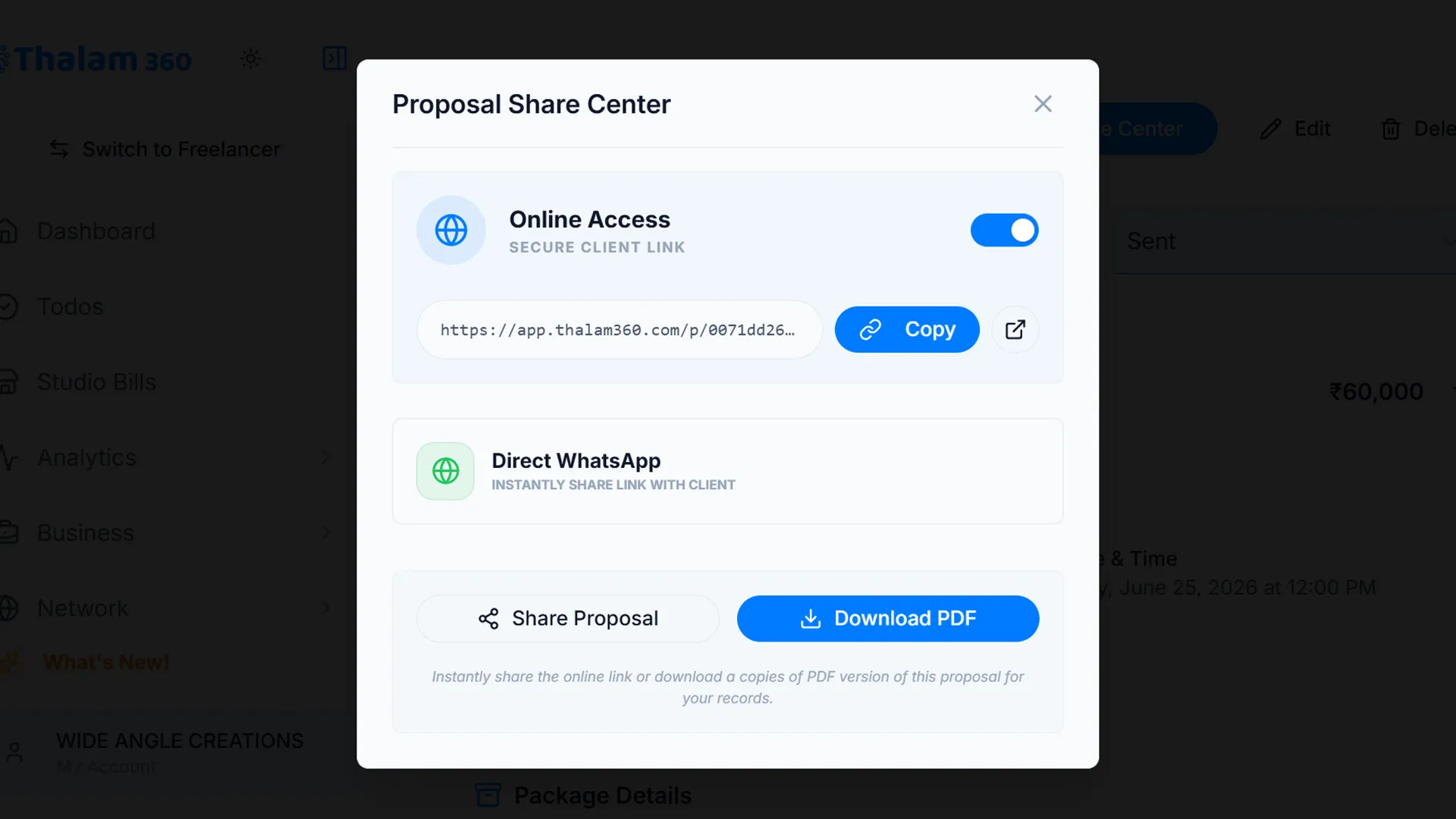
Sharing the Proposal on WhatsApp
Watch: Creating a Complete Wedding Proposal in 30 Seconds
Why Heavy Canva PDFs Fail on WhatsApp (And Why Interactive Links Win)
Most photographers still export 15MB PDF files from Canva or Photoshop and send them as WhatsApp documents.
Here is why PDF quotes lose clients:
- The Download Barrier: Indian couples browse quotes on their phones while on 4G networks. A 15MB PDF takes time to download and clogs their phone storage.
- No Visual Quality: High-resolution wedding photos get compressed and look blurry inside small PDF boxes.
- No Direct Action: In a PDF, there is no button for the client to confirm. They have to type a separate message, leading to delays.
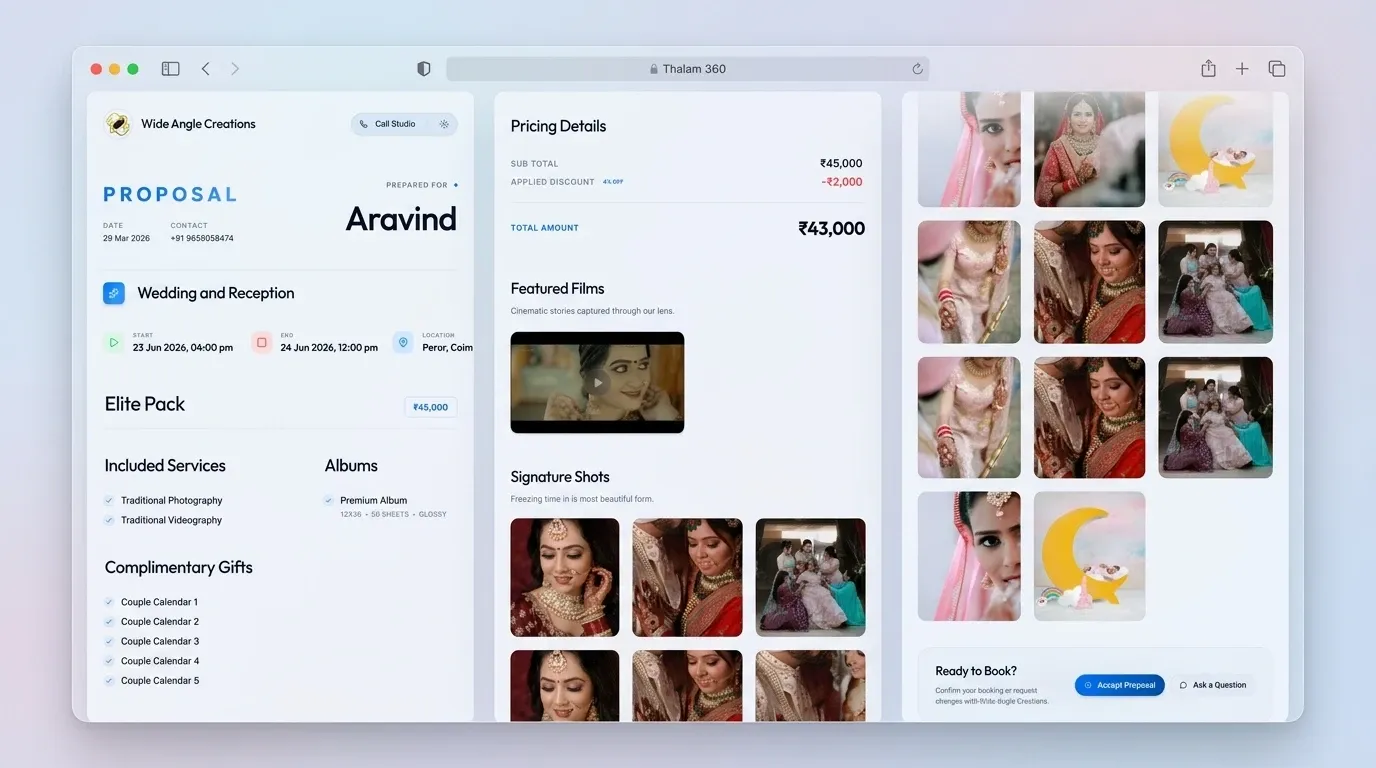
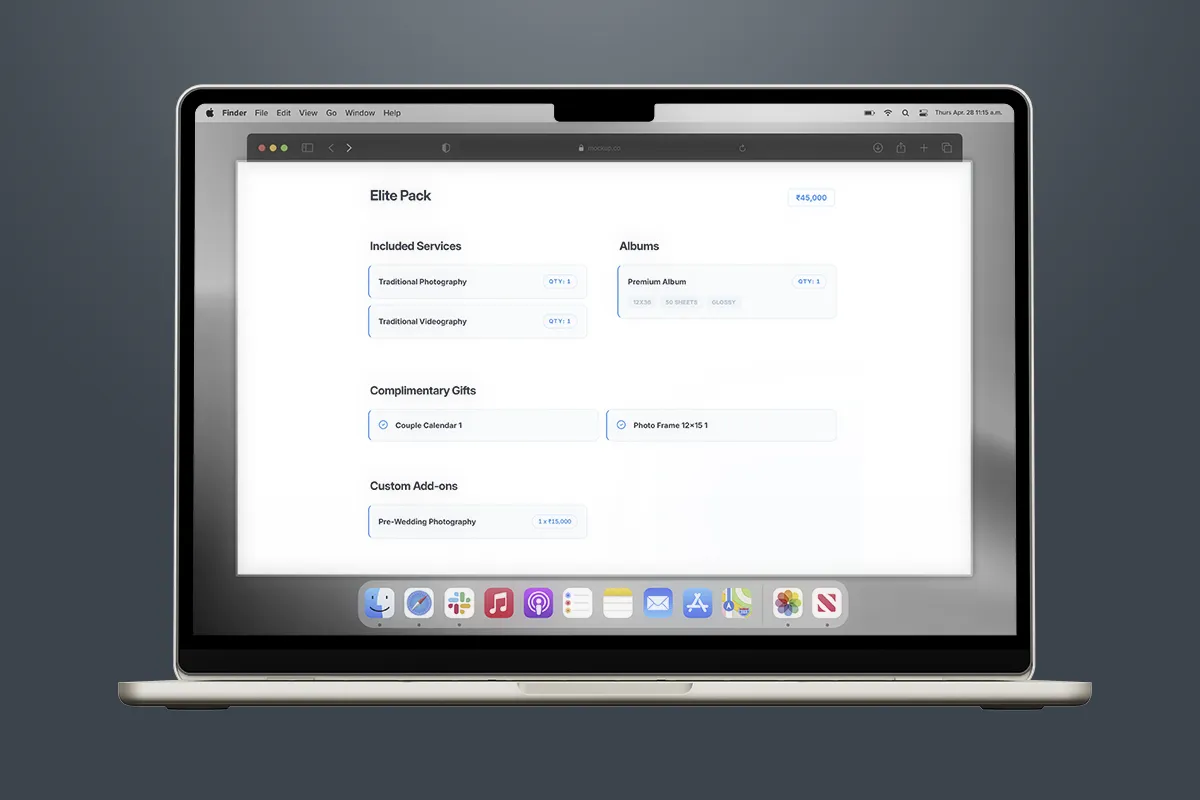
Thalam 360 Interactive Wedding Proposal and Embedded Portfolio Showcase
Feature | Static Canva / Word PDF | Thalam 360 Digital Quotation |
|---|---|---|
| Creation Time | 30 to 45 minutes on laptop | 30 seconds on your smartphone |
| Client Experience | Heavy PDF file that hangs on mobile | Fast-loading interactive web proposal |
| Visual Gallery | Compressed, low-res preview boxes | Full-screen high-res portfolio & video reels |
| Custom Domain | Generic document attachment | Clean studio-branded link |
| Client Approval | Verbal text messages lost in chat | 1-Tap digital "Accept Proposal" button |
3 Practical Rules to Double Your Quotation Booking Rate
1. Send 3 Tiered Packages (Silver, Gold, Royal)
Never send a single take-it-or-leave-it price. Giving clients 3 clear options (e.g., Basic Traditional, Premium Candid, Royal Cinematic) allows them to choose the budget that fits them best. When clients compare your 3 packages, they stop comparing you with other studios.
2. Lock Auspicious Dates with a 7-Day Validity
Auspicious wedding dates in India are strictly limited. November and February often have only 8 to 10 prime Muhurtham dates. Add a clear note: "This quotation is valid for 7 days. Dates are confirmed only upon receipt of booking advance." This eliminates ghosting and protects your calendar.
3. Attach Portfolio Photos Right Next to the Price
When clients see a price of ₹1,20,000 in plain text, it looks expensive. But when they see ₹1,20,000 right next to 20 stunning high-res candid photos and a cinematic teaser of your previous wedding, they see the value immediately.