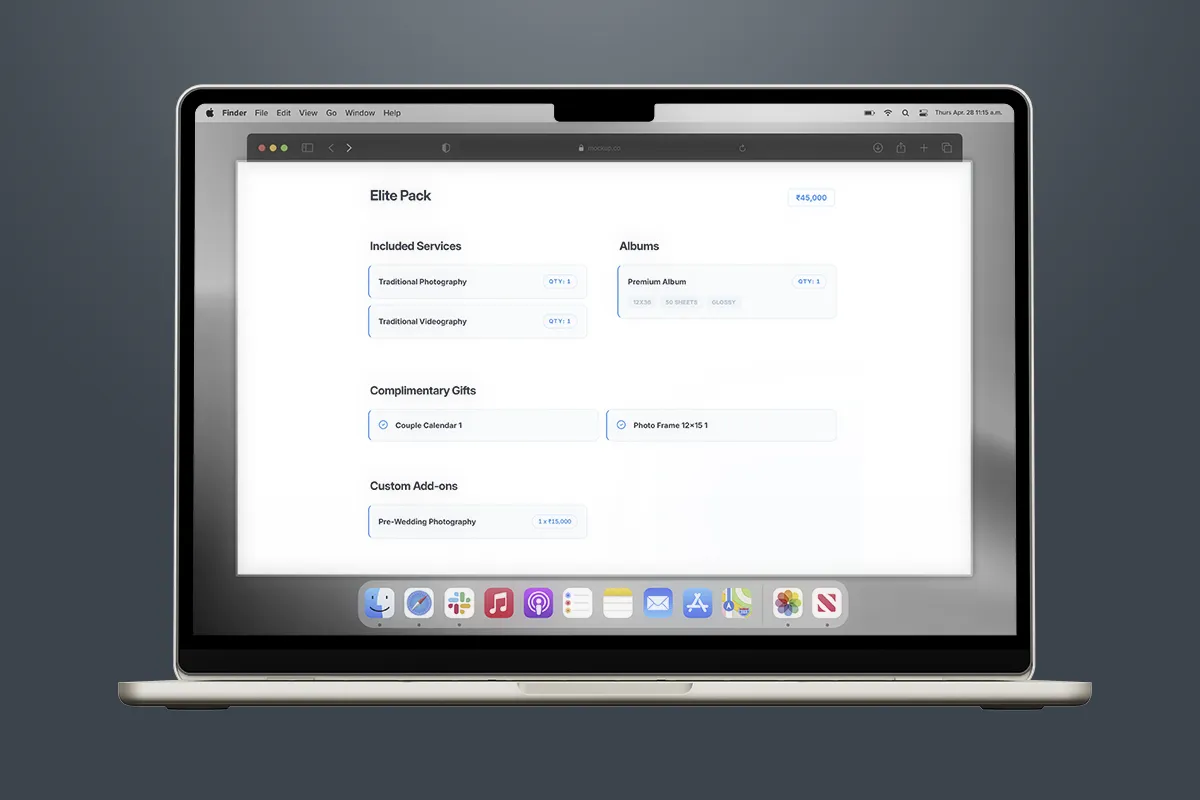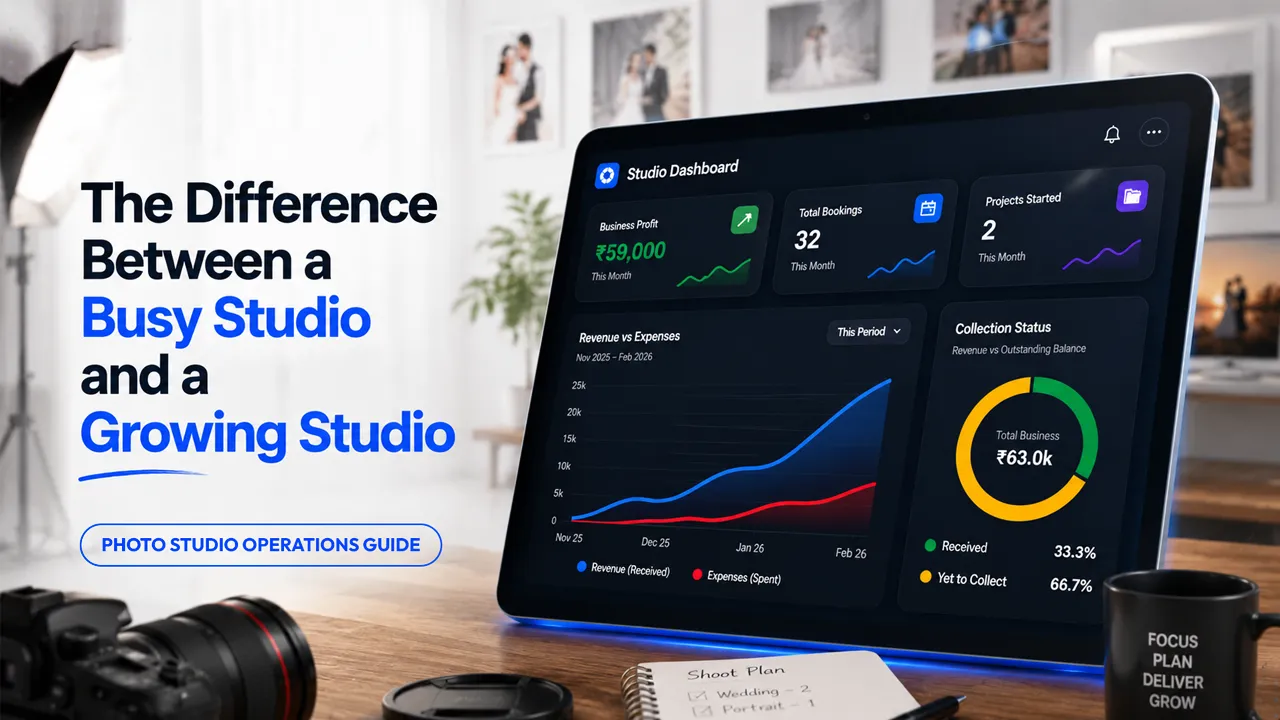

The wedding shoot was a complete success. The couple loved the Instagram teaser, the drone footage looked cinematic, and you exported thousands of high-resolution files.
Designing a standard 12x36 photobook takes an album editor less than a week.
Yet, six months later, the wedding photo selection has not even started:
- Your studio hard drives are choking with 100 GB of unarchived RAW files.
- Your final 20% to 30% payment is stuck in the client's hands.
- And the client calls you asking: "Bro, it has been 6 months since the wedding. When are you delivering our album?"
When you politely remind them: "Sir, you have not selected the photos yet", they either get defensive or casually ask: "Why haven't you selected them for us and printed the album?"
Every wedding photographer and studio owner in India faces this exact reality. Photo selection is where fast album deliveries get completely stuck.
Here is an honest look at how most studios handle wedding photo selection today, why it fails, and the practical workflow that fixes it.
How Most Studios Handle Wedding Photo Selection Today
After shooting an event, most studios dump thousands of full-quality photos onto a Google Drive link, OneDrive, or a ₹450 pen drive without any folder organization.
From there, studios typically rely on one of these five broken methods:
1. The Google Drive Viewing & Paper List Method
The photographer sends a raw Google Drive link. The client opens each photo one by one on a phone or laptop, writes down file numbers on a notepad or diary (_DSC4012, _DSC4019, _DSC4088), takes a photo of the handwritten sheet, and sends that picture on WhatsApp.
- The Problem: Half the handwritten numbers are hard to read, digits get cut off in the camera crop, and your editor spends hours deciphering messy notes.
2. The Pen Drive Handover
The studio copies all photos to a pen drive and hands it to the client. The client is supposed to plug it into their home computer, create a separate folder, and return the selected files.
- The Problem: Pen drives get misplaced, clients do not have laptops with USB ports, or the pen drive sits in a drawer untouched for three months.
3. The Download & Re-Upload Trap
The client downloads 40 GB of original photos to their laptop, shortlists 400 photos, and then tries to re-upload that heavy folder back to their own Google Drive to send a link to the studio.
- The Problem: Non-technical clients run into upload errors, run out of free 15 GB Google Drive storage, and abandon the task halfway through.
4. The WhatsApp Screenshot Method
The client scrolls through photos on their phone, takes 150 screenshots, crops them roughly, and forwards them as individual photos on WhatsApp.
- The Problem: WhatsApp strips all original file names and compresses image quality. Your editor has to open Lightroom and visually match tiny face and dress details across 5,000 RAW files.
5. In-Person Studio Selection
Frustrated by months of inaction, the studio invites the couple and their family to sit in the studio office to pick photos directly on the studio computer.
- The Problem: The family spends an entire 8-hour day arguing over which relative should be on which page. By 8 PM, they have only finished half the selection and tell you: "We will come back tomorrow." You lose two full working days of studio time.
Album Design Takes 1 Week. Photo Selection Takes 6 Months.
Most Indian photo studios can design, print, and bind a premium 12x36 wedding album within 5 to 7 working days once the final photo list is approved.
The actual bottleneck that paralyzes studio delivery timelines happens before album design even begins.
The "Unlimited Photos" Shoot Dilemma
To stay competitive in the market, studios promise clients "Unlimited RAW & Candid Photos." A standard 4-person crew (2 candid photographers, 1 traditional videographer, and 1 drone operator) shoots 6,000 to 10,000 photos across a 2-day South Indian or North Indian wedding (Haldi, Mehendi, Sangeet, Muhurtham, and Reception).
Yet, for a standard 40-sheet 12x36 Karizma or photobook album, your designer only needs between 300 and 450 photos.
The Shoot vs Selection Reality: 10,000 Photos Shot ➔ Uploaded to Google Drive ➔ Client Needs Only 400 Photos ➔ 6 Months of Decision Fatigue
When you dump 8,000 un-culled files containing 20 identical burst shots of the same garland moment, you are not providing a luxury client experience—you are giving the couple an overwhelming homework assignment.
How Photo Selection Delays Happen in 3 Stages:
- 1Weeks 1–2 (The Excitement Phase): The couple opens the Google Drive link on mobile, views the first 100 candid portraits, and shares a few favorites on Instagram.
- 2Weeks 3–8 (The Family Argument Phase): Parents want to see ritual photos; in-laws want to see relatives and stage guests. The link gets forwarded across 5 WhatsApp groups. Everyone picks their own photos, arguments break out over album sheet limits, and selection stops completely.
- 3Months 3–6 (The Forgotten Chore Phase): Life gets busy, the couple goes back to work, and the Google Drive link gets buried under thousands of daily WhatsApp messages.
After 6 months of silence, the family forgets that they never shortlisted photos. They call the studio asking: "Bro, where is our wedding album?"
The Hidden Cost of Delayed Photo Selection
When client photo selection gets delayed, it creates a chain reaction across your entire photography business:
1. Frozen Studio Cash Flow
In standard Indian studio billing, 20% to 30% of the total package value is collected only upon physical album delivery. On a ₹1,50,000 wedding package, that pending balance is ₹30,000 to ₹45,000.
If you have 15 wedding albums pending selection for six months, you have ₹4,50,000 to ₹6,00,000 in uncollected cash sitting locked in the market.
2. Upfront Costs Paid Out of Your Pocket
You have already paid your daily-wage traditional videographers, candid shooters, and drone pilots on shoot day. Your money is out, but your final balance is locked because the client has not picked photos.
3. Studio Hard Drives Choking with RAW Files
When albums remain unselected, you cannot delete or archive event RAW files. Your studio computers run out of disk space, forcing you to buy extra 4TB external hard drives every few months.
4. Client Frustration and Reputation Loss
Even though the delay is on the client's side, family members forget that they never selected photos. Six months later, they tell relatives: "That studio still has not delivered our wedding album." Your brand reputation takes the hit.
Why WhatsApp Screenshots and Manual Lists Create Confusion
When clients submit selections through screenshots or handwritten notes, the album design process slows down dramatically:
Manual Selection Method | What Happens in the Studio | Time Wasted by Editor |
|---|---|---|
| Handwritten Photo Lists | Misread numbers lead to wrong photos placed on album sheets | 2 to 3 hours re-checking and replacing images |
| WhatsApp Screenshots | Original file names (_DSC4892.RAW) are lost; photos are compressed | 4 to 6 hours visually searching files in Lightroom |
| Drive Folder Re-Uploads | Client misses essential ceremony rituals or sends duplicate shots | 1 to 2 days of back-and-forth client communication |
| Mid-Design Swaps | Bride sends replacement photos after 20 sheets are already designed | Costly album re-work and delayed printing lab slots |
The 12x36 Album Sheet Quota Guide (How Many Photos to Select)
One of the biggest mistakes studios make is asking clients to "just pick 250 photos" without giving them a ceremony-by-ceremony breakdown. Without guidance, the couple selects 150 reception photos and runs out of album sheets for the main Muhurtham rituals!
Before sharing any selection gallery, give your client this simple 12x36 album sheet cheat sheet:
- Pre-Wedding & Couple Portraits: 25 – 30 photos (~4 sheets)
- Haldi & Mehendi Rituals: 35 – 45 photos (~6 sheets)
- Reception & Sangeet Party: 60 – 70 photos (~10 sheets)
- Muhurtham & Core Wedding Rituals: 80 – 90 photos (~12 sheets)
- Stage Family Groups & Relatives: 30 – 40 photos (~5 sheets)
- Total Recommended Selection: ~240 to 260 photos (~37 to 40 sheets)
Setting this clear event quota upfront prevents family arguments, eliminates costly mid-design sheet additions, and helps clients finish selection with clarity.
A Better Wedding Photo Selection Workflow: How Thalam 360 Fixes It
Organized photography studios managing operations with Thalam 360 do not leave wedding photo selection to chance. They follow a simple, 4-step digital workflow:
1. Create Event & Auto-Optimize Uploads
Create the event in seconds with couple and event details. Organize photos into clean ceremony folders (Pre-Wedding, Haldi, Muhurtham, Reception) and upload. Thalam 360 automatically compresses and optimizes images during upload with watermarks—making them lightweight for instant 4G mobile browsing without consuming gigabytes of client data.
2. Affordable Packs & Flexible Validity
Pick simple credit packs starting at just ₹49 for 1,000 photos. Every event gallery comes with:
- 30 Days Active Validity for client selection.
- 15 Days Grace Period buffer to avoid sudden lockouts.
- 1-Click Renewal Options if clients need extra time to finalize family choices.
3. Share Password-Protected Link with Selection Mode
Send a private, password-protected gallery link to the couple. Relatives can browse in View-Only mode, while the couple toggles Selection Mode ON to pick photos with a simple 1-tap heart icon on their phones.
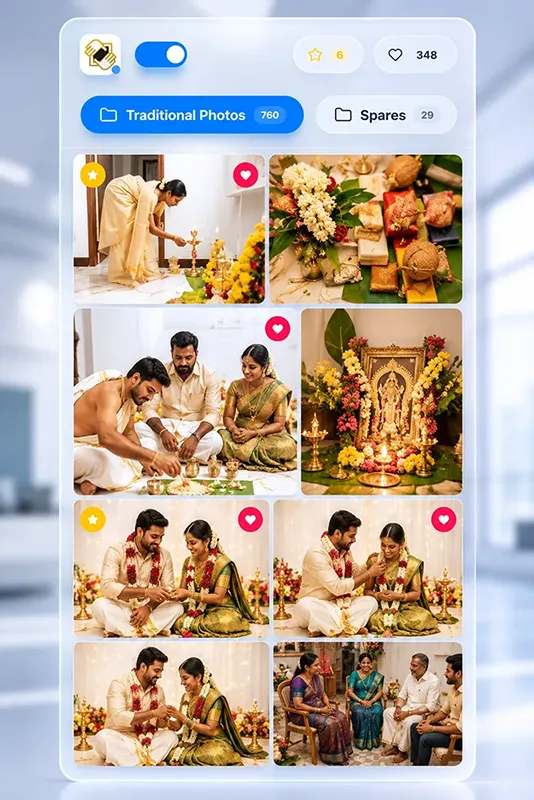
Thalam 360 mobile gallery for wedding photo selection
4. Instant Notification & 5-Second Desktop Smart Match
When the couple finishes and taps Submit Selection, the gallery locks permanently. Your studio receives an instant email and notification alert with the exact approved file list.
Open the desktop Smart Match tool, drag and drop your local RAW hard drive folder, and Thalam 360 automatically matches and copies all selected original RAW/high-res files into a dedicated album editing folder in 5 seconds.
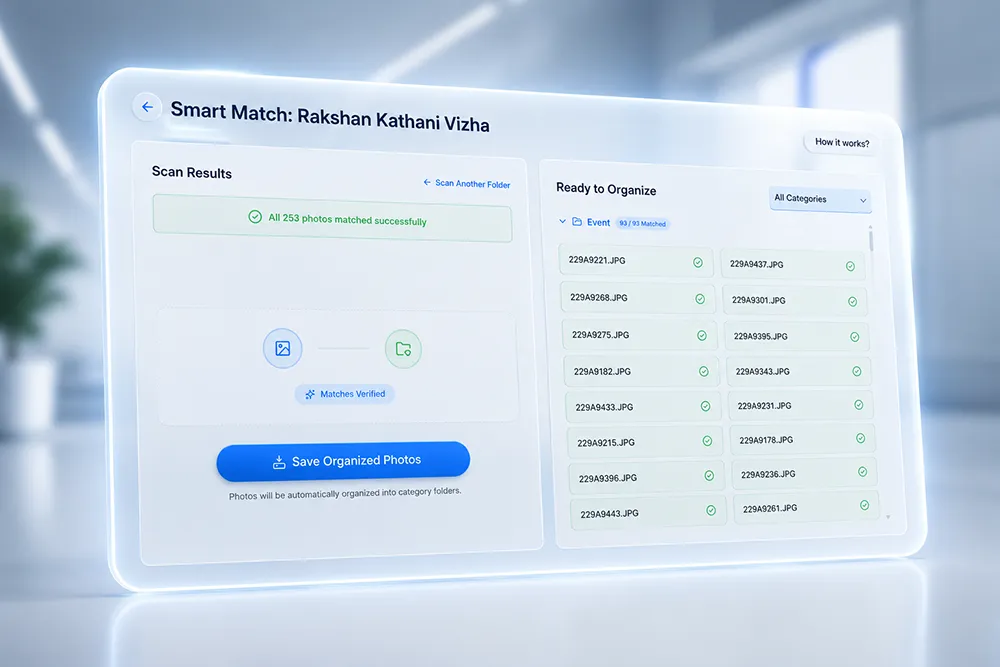
Smart Match desktop tool to filter selected RAW wedding photos
You can hand over the organized RAW folder to your album designer immediately—zero manual searching, zero WhatsApp confusion, and zero designer delays.
Frequently Asked Questions
Final Thoughts
If you are still managing photo selection through Google Drive links, pen drives, and WhatsApp screenshots, trying a dedicated photo selection workflow can save weeks of follow-up and album delays.
Thalam 360 provides a simple, studio-friendly photo selection system starting at ₹49 per event, complete with mobile client proofing and desktop Smart Match to help you move projects directly to album design without the headache.
To see how it works for your studio, explore the Thalam 360 Photo Selection Module.